AI will not sterilize your tubes, prevent an allergy, or make a bad line heal clean. The new risks with AI are about data rights, informed consent, and designs that do not translate to skin. Get those three right, and AI becomes a fast, loyal assistant you can direct, not a shortcut that undercuts your craft.
What AI Actually Changes in the Tattoo Workflow
Generative tools can output 50+ variations of an idea in minutes, but they are only reference images, not a finished blueprint. The tattooable work still happens in your hand, from custom linework and stencil simplification to contrast planning and placement flow. Think of AI like a hyper-productive apprentice for the sketch stage, only it never gets tired and it never shows up late.
To keep results tattoo-safe, move AI concepts through your usual finishing stack, for example vector cleanup in Illustrator or Procreate, acceptable line weights for the body zone, and a black to skin contrast map. If you are new to merging AI with stencil prep, bookmark our design to stencil guide and our prompts that actually tattoo well.
Safety Risks That Still Matter Most
The biggest medical risks around tattoos remain infection, allergic reactions, and poor aftercare, regardless of who sketched the design. Major medical sources agree. See infection and complication overviews from the Cleveland Clinic, the American Academy of Dermatology, and the ink safety and labeling perspective from the U.S. Food and Drug Administration. Peer reviewed reports in JAMA Dermatology and practical explainers at Healthline document issues like granulomas, contact dermatitis, and red ink reactions.
AI can accidentally encourage designs that are too small, too dense, or too micro-detailed to heal well. Remember, skin is a living canvas that swells, bleeds, and ages. Keep your clinical basics tight, then marry them to design realism. For triage and prevention tactics, see our infection signs guide.
- Common AI-to-skin pitfalls, hairline micro text, dense stipple gradients, and featherweight filigree that collapse to mush by month 6.
- Fixes that work, minimum line weight of 0.3–0.5 mm on forearm, 0.5–0.7 mm on ribs, bump contrast in midtones, and simplify overlapping shapes.
- Aftercare that matches density, use second skin films like Saniderm, Tegaderm, or Derm Shield, then swap to Bepanthen, Aquaphor, Hustle Butter, or Mad Rabbit as advised, non-sponsored examples.
Dataset Ethics, Consent, and Attribution
If a model was trained on artists’ portfolios scraped without consent, it can echo protected work and reproduce a living person’s style against their will. That is an ethics problem even if the output is legally gray. When possible, favor opt-in datasets, verify dataset provenance, and avoid tools that cannot disclose where their training images came from.
- Ask vendors directly, do you have artist opt-in records and will you document dataset sources upon request.
- Use style-neutral prompts and describe motives over names, say “bold ornamental blackwork” instead of “in the style of X.”
- Keep attribution notes in the client file, include any source materials, moodboards, and which AI tool versions were used.
Clients trust us to respect cultural reference and individual creators. A quick consent check avoids messy outcomes later, and it is usually as simple as aligning on what inspired the piece and what will make it distinctly yours once redrawn. If a client brings an AI image cloned from a known artist, explain why you will redesign key elements and credit influences in your notes.
Copyright, Ownership, and Originality With AI
In the United States, purely machine generated images lack full copyright protection because they do not have a human author, per the U.S. Copyright Office. That means an AI output alone is shaky ground for exclusivity. Your hand drawn revisions, composition changes, and custom lettering add the human authorship that makes a design protectable.
Studio policy should spell out who owns the design, what is licensed to the client for skin use, and what the shop can share online. Many artists license the final art to the client for a single tattoo, keep portfolio rights, and prohibit resale of the digital file. That keeps control with the creator while staying fair to the wearer.
Cultural Respect Is Not Optional
AI can mash references without context, which is dangerous around living cultural practices. If a prompt leans into Māori, Polynesian, or First Nations motifs, pause. Discuss eligibility, meaning, and alternatives with the client. Where a tradition is closed, guide them toward open styles that honor the spirit, not the sacred rules. Start with our Māori tā moko vs kirituhi ethics guide.
Write a short policy you can read aloud in consults, for example, the studio will not reproduce closed cultural markings or sacred text unless the client is a member of that culture and has documented guidance from a recognized practitioner. Publishing this keeps your boundary public and protects your team.
Design to Skin Realities, Readability and Placement
AI mockups are flat and perfect. Human bodies are curved, mobile, and differently toned. Before you get attached to a render, test placement and readability. Use true to size try on and move through poses to confirm flow across joints. Our calibration walkthrough is here, virtual try on placement guide.
Assess contrast for the client’s skin tone, and simplify busy AI textures into bold tattoo language. High frequency detail often equals high regret. If you need a refresher on building punch without over-saturation, see design contrast and spot color techniques. For scripts, hold to minimum letter height and stroke width or it will blur during the 2–4 week healing window and continue softening over years.
A Practical, Ethical AI Collaboration Workflow
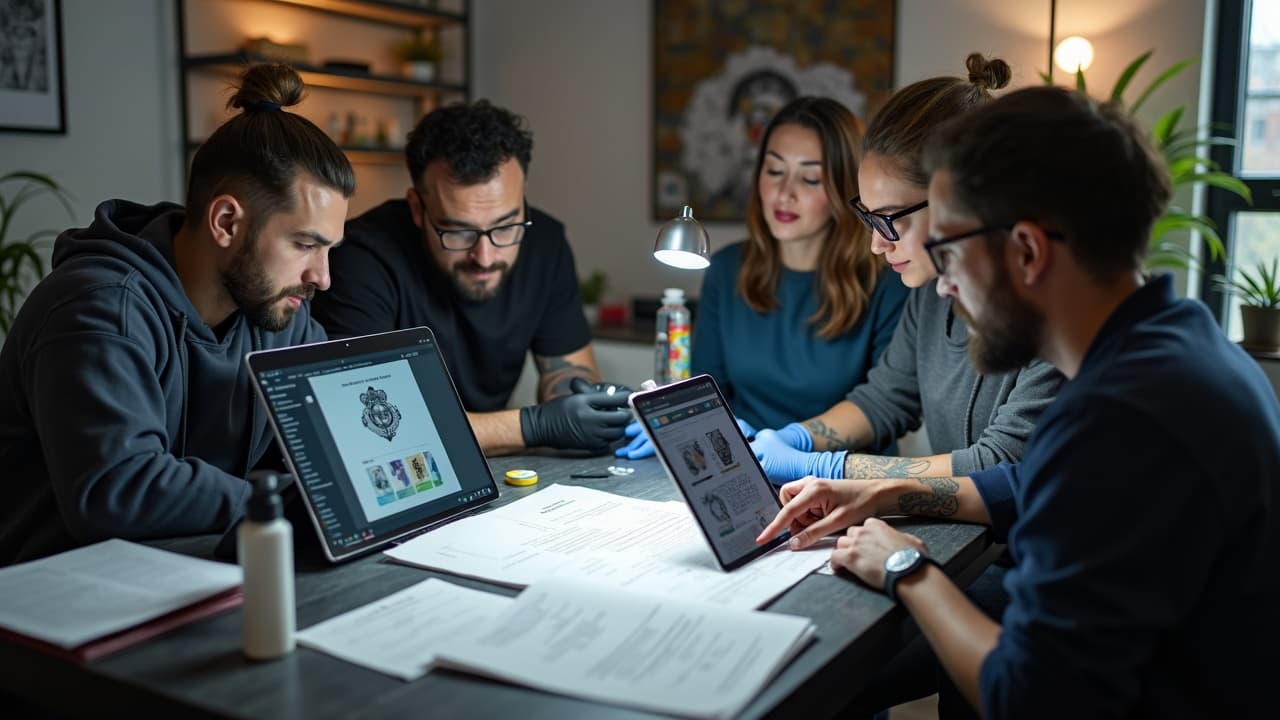
Here is a field tested flow you can copy, from consult to stencil, that keeps integrity intact and timelines fast. It assumes you are using AI for moodboarding and concept sketching, then finishing all tattoo-critical work by hand.
- Consent and scope, explain AI’s role, record client OK, confirm cultural boundaries, and set a revision cap to control time.
- Source choices, use tools with opt-in datasets when available, avoid named artist prompts, and log model names and dates.
- Prompt for tattooability, specify bold silhouette, clean negative space, limited palette, and no micro text up front.
- Triage for skin, reject renders that fail line weight, contrast, or placement flow checks, do not force it.
- Redraw and simplify, convert to clear linework, set minimum line weights per body zone, and mark highlights and drop shadows.
- Reality check, run a true size try on, review in motion, then finalize stencil and color notes.
- Aftercare briefing, match aftercare to density and placement, second skin first 3–5 days, then light emollient, confirm allergies.
For deep dives on the prompt stage, skim AI prompts that tattoo well. When a client brings their own AI images, tell them what you will keep, what you will simplify, and why, in terms of longevity and healed readability. You protect them and yourself.
Privacy, Client Photos, and Storage
AI try on requires client photos, so treat those as sensitive personal data. Get written consent to use the images for mockups, state how long you will store them, who can access them, and how you will delete them on request. Lock files behind role based permissions and avoid syncing to unvetted third party clouds.
If you publish a try on image, crop or blur identifying features unless the client signs a model release that mentions AI mockups specifically. Explain that renders may not perfectly reflect healed results, and always label try on posts as visualizations to prevent confusion.
Policy, Pricing, and Transparency With AI
AI can shorten the sketch stage, but it still takes trained time to prompt well, filter results, and redraw responsibly. Fold this into your pricing the same way you bill for iPad sketching. Many shops charge a design fee or kill fee for abandoned projects, plus a non refundable booking retainer that converts to tattoo time.
Post your stance publicly in three bullets the role AI plays, your sourcing ethics, and your redraw policy. Example, the studio uses AI for ideation only, does not mimic living artists, and every design is custom redrawn to meet healed longevity standards. Clients appreciate clarity, and it reduces back and forth during consults.
Ready to test ideas responsibly before you book the chair. Generate designs and true to size mockups with AI for Tattoo, then bring the strongest concepts to your consult. Try it in minutes at Create and preview placements with Try On.
Try AI for Tattoo Free