Studios that fold AI into consults cut redraws by 40 to 60 percent and reduce inbox back-and-forth by roughly 50 percent in my client roster. The recipe is not magic prompts, it is a clear collaboration stack, on-body visualization, and smart handoff rules. Here is the practical, artist-first way to use AI tattoo tools so your ideas land faster, your stencils read cleaner, and your clients feel part of the build.
What Collaboration Actually Needs From AI in a Tattoo Studio
Most tattoo friction happens in three places, concept alignment, body fit, and last mile prep. The right AI design software should solve those without adding noise. Look for tools that keep edits traceable, render on real bodies fast, and export stencil-ready assets in predictable formats. If an app cannot do those three, it is a toy, not a studio tool.
Real talk, a collaborative stack must support shared moodboards, quick text to image exploration, img2img refinements for client photos, and AR try-on for scale decisions. Bonus points for version control and safe storage of client images. If you are mapping large pieces, a sleeve or back, build on a platform that respects wrap-around flow and landmarks like tendons and flex lines. For an overview of flowing multiple motifs, see our design flow primer.
Generating Concepts Together, Text to Tattoo
For consults, you want fast visuals that speak your style. Midjourney, Adobe Firefly, DALL·E 3, and Stable Diffusion with ControlNet all deliver usable first passes. Prices run about $10 to $60 per month depending on tiers. My rule, generate together for vibe check, refine alone for craft. You can scaffold prompts around placement, style, and negative space so the output already thinks like a tattoo and not a poster. If portraits are your lane, save time with our portrait prompt guide.
- Prompt scaffold that lands, "single-needle blackwork raven, forearm inner, negative space around veins, high contrast, line weight 0.3–0.5 mm, no background, stencil-friendly edges."
- When a client brings references, switch to img2img with ControlNet Lineart so composition is influenced by their photo but your line economy stays consistent.
- Use style anchors like "etching crosshatch" or "neo-traditional color blocking" to call your signature moves, then dial CFG 4–7 for controlled variety.
- If symmetry matters, mirror half of your canvas and ask the model for bilateral balance, then break it slightly by hand to avoid a machine-perfect read.
Named tools I actually open in consults, Midjourney v6, Krea.ai real-time gen, Stable Diffusion WebUI with ControlNet, and ComfyUI for reusable graphs (non-sponsored examples). Keep a shortlist so you can pivot if one model hallucinates fingers or over-renders texture you plan to shade by hand.
Co-Editing With Clients in Real Time
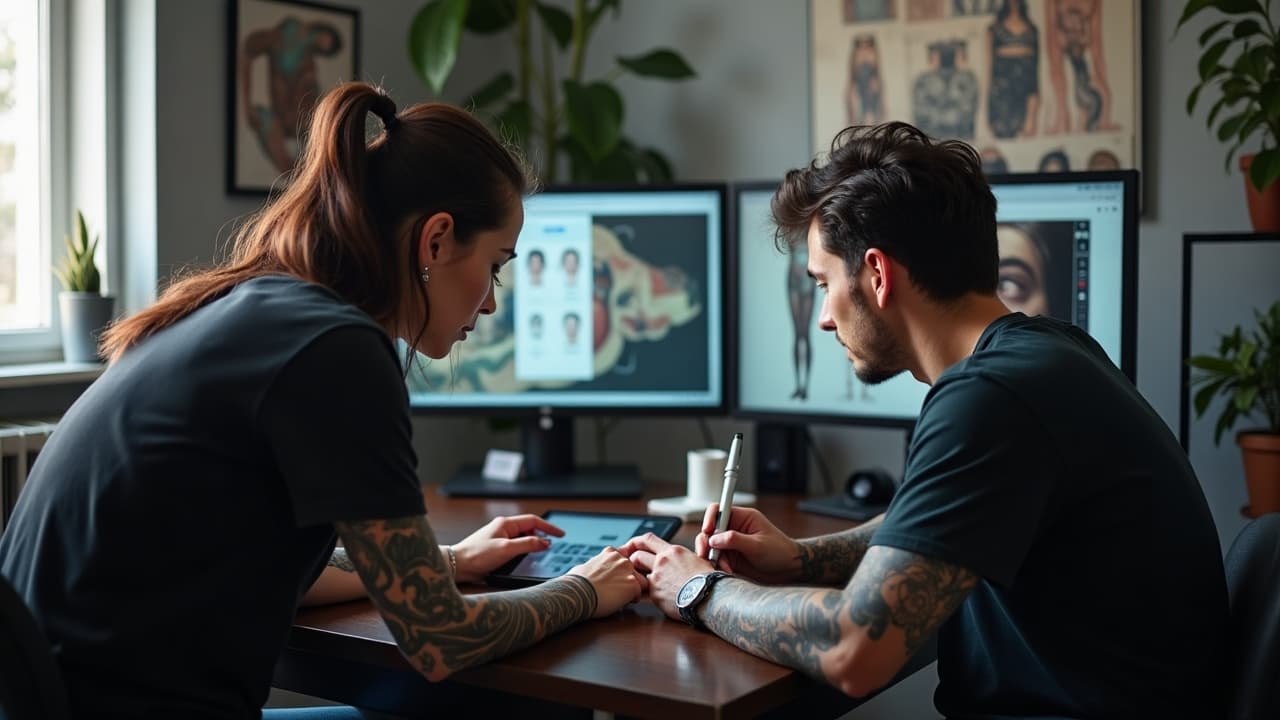
Clients calm down when they see their idea move on their body at consult speed. Run a real-time generator like Krea.ai or a lightweight Stable Diffusion local notebook, screen-shared to a tablet. Drop quick masks to preserve skin breaks, then iterate color blocks or line emphasis with them watching. Finish by testing scale on skin with an AR try-on. Our own try-on is tuned for tattoo scale, not fashion sizing, so it reads realistically on curves. Try it on your phone here, AI try-on.
For whiteboarding and notes, Figma FigJam with AI widgets, Miro, and Notion AI keep moodboards, prompts, and client decisions in sync. Build a one-page canvas that holds your approved references, final prompt, and export checklist. If you are starting from scratch, spin a first pass directly in AI for Tattoo Create, then paste approved variations into your board for a clean audit trail.
3D Body Mapping and Wraparound Planning
Flat comps lie. To respect anatomy, you need 3D body mapping or at least smart projection. Use apps that wrap art around a cylinder or limb proxy, then push and pull to maintain flow across flexion points. Sleeve planning is where AI shines because it can simulate stretch and occlusion. For practical techniques and pitfalls, bookmark our sleeve planner walkthrough, 3D body mapping for wrap-around flow.
- Shoot orthographic photos of the limb, front, side, back, with consistent light, then calibrate scale with a 1 cm tape mark to keep proportions honest.
- Test overlaps and seams in software before print, especially along inner arm and triceps where twist can skew motifs by 10 to 15 degrees at rest.
- Preview high-motion zones like elbow or knee bent at 30, 60, 90 degrees, and trim micro-details that would blur once skin stretches under load.
- If your app lacks real 3D, cheat with mesh warp on three angles and make a wrap storyboard your client can approve before you build the master stencil.
For AR previews, InkHunter, TattooTester, and AI for Tattoo try-on are fast enough for consults, while Blender with image projection wins when you need precise seam checks on fantasy armor or biomech flow (non-sponsored examples). Keep your camera distance and lens consistent to prevent scale lies.
Reference Management, Style Consistency, and Copyright
Consistency is not about copying, it is about repeating your decision patterns. Tools like Eagle, PureRef, and Notion AI make searchable boards of motifs, negative space moves, and line weights. For AI, keep a tiny LoRA or Style preset trained on your own drawings only, then use it to stabilize outputs without dragging in someone else’s look. When in doubt, default to clean references with known provenance and always credit sources in your board.
Copyright and consent matter. Avoid training models on images without permission, and never upload client nudes to public clouds. Our ethics primer lays out studio-safe rules, from dataset hygiene to disclosure, see AI safety and collaboration. On the health side, remember that inks and skin reactions still rule outcomes, despite AI. The American Academy of Dermatology notes that allergic reactions to pigments, especially reds, can occur and sometimes persist, see their guidance at AAD.org. The FDA clarifies that tattoo inks are not approved for injection and publishes safety updates at FDA.gov.
Lining, Stippling, and Stencil Prep With AI-Assisted Tools
The most underrated win is faster stencil prep. Run rough comps through ControlNet Lineart, then clean with Adobe Illustrator Image Trace or Vector Magic for vector lines. Use Topaz Gigapixel AI to upscale small references without mush. For dotwork, generate a soft value study in AI, then convert to stipple guides using halftone actions in Photoshop or Clip Studio. Export layered PSD plus a high-contrast PNG so your stencil printer does not choke.
- For Image Trace, start at Threshold 120–140, Paths 80–90 percent, Corners 25–35, and Noise 1 px, then reduce to your preferred line weight with Expand and Offset Path.
- When using ControlNet Lineart, pick Preprocessor Lineart Anime with Weight 0.6–0.8 so it respects your hand-drawn intent but cleans chatter before vectorizing.
- Before printing, flip your stencil preview to mirror and check for tangents or trapped whites that can turn into blowouts on soft zones.
- Always keep a non-posterized grayscale comp in the client file, it helps you place pepper shading consistently across multiple sittings.
Briefs, Moodboards, and Feedback Loops That Work
A good brief saves hours of tattoo chair negotiation. I run consult audio through Whisper or Otter.ai, then let Notion AI summarize into bullet requirements. Use Slack with AI summaries or email digests for clients who prefer asynchronous feedback. Keep iterations to two structured rounds with clear change limits. Clients feel in control, you keep momentum, and the final stencil is just a technical step, not a creative gamble.
- Handoff bundle, final PNG at print scale, vector lines for stencil, on-body mockups, and a one-page aftercare PDF with placement-specific notes.
- File naming that survives chaos, "client-lastname_placement_style_round-v3_date", and keep version history so questions about changes are easy to answer.
- Embed a short revision policy, two rounds included, third round $50–$100 depending on scope, so scope creep does not eat your booking calendar.
Pricing, Licensing, and Clear Deliverables in an AI Workflow
AI time is still creative time. I price concept packages with a clear split, $100–$250 for AI-guided exploration depending on complexity, then standard tattoo rate on session days. For merch or print reuse, add usage licensing in writing. Flash derived from your AI-guided sketches remains your IP unless you assign it. Be explicit about what the client receives, and what they do not, especially when they ask for editable source files.
Subscription costs stack up, so audit quarterly. A lean studio usually needs one text to image subscription, one AR try-on, and one vector tool, roughly $30 to $120 per month combined. Keep a shared spreadsheet of what you pay, renewal dates, and actual usage. If a tool does not save at least 1 hour per week, it is not earning its spot.
Security, Ethics, and Health Considerations
Client trust is your brand. Store photos in encrypted drives, use expiring share links, and prefer on-device generation when working with sensitive placements. If you upload to cloud models, strip EXIF data and crop away faces. Be clear in your consult form that AI may be used for visualization, not for final execution. For cultural designs, use source research and, when appropriate, decline. Respect beats hype every time.
On healing realities, AI will not shorten skin recovery. Surface healing commonly takes about 2 to 3 weeks according to the Cleveland Clinic, which also outlines irritation signs you should not ignore at clevelandclinic.org. For infection awareness and red flags, keep clients educated with consistent resources, see our infection guide. Big picture, public comfort with AI is rising, with about one in five U.S. adults trying generative tools per Pew Research reporting since 2023, see context at pewresearch.org. That social shift makes AI consults feel normal, as long as you stay human-forward.
Want a clean, studio-safe starting point for your next consult? Generate concepts and preview them on real bodies in minutes with AI for Tattoo. Build ideas in Create, test scale with Try-On, then browse styles for client homework in Explore. Your craft stays yours, the workflow just gets faster.
Try AI for Tattoo Free